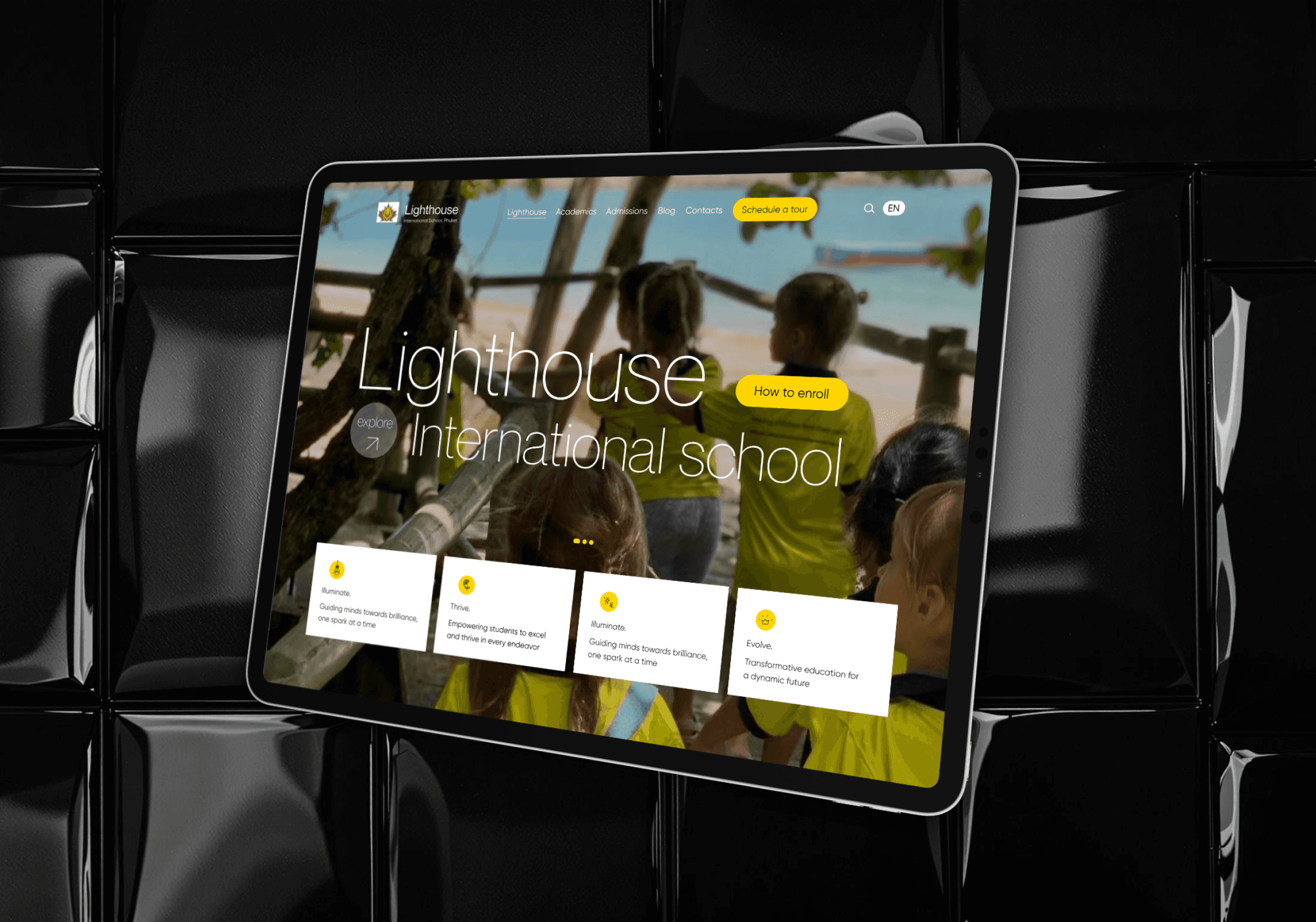
International School || UX Audit
Overview
Lighthouse International School is based in Thailand’s most tourist-dense location – the island of Phuket. It services students from 1 to 12 Grade, and provides visa support to both students and parents.
Challenge
When searching for school, parents want to see the school website, to be able to find all necessary info, pricing and contacts
When browsing through school website, parents want to be able to clearly navigate and not be set back by long descriptions and unclear website structure
When trying to enroll their kids, parent want to clearly see contacts and main pricing info
Goal
Perform UX audit and understand user needs;
Optimize information hierarchy and navigation, ensuring a more intuitive user journey;
Ultimately drive convesion into enquiries and enrollment (for future).
Target audience
Families of expats, both students and parents
School staff and management
Any person looking for information about education in Thailand and Phuket specifically
Discover and Define
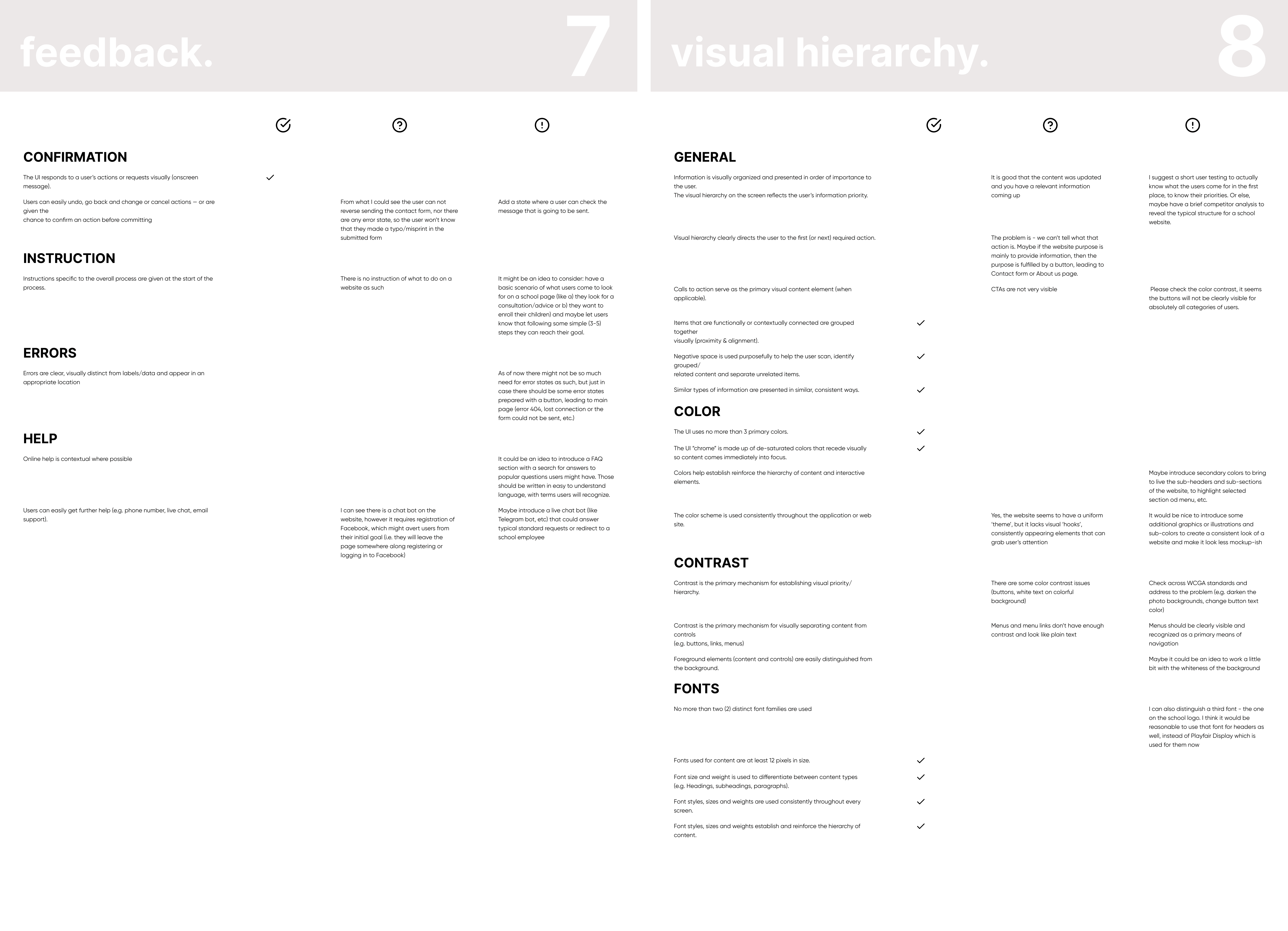
Problem: Inconsistent informational architecture and unclear misleading navigation. || Solution: UX Audit
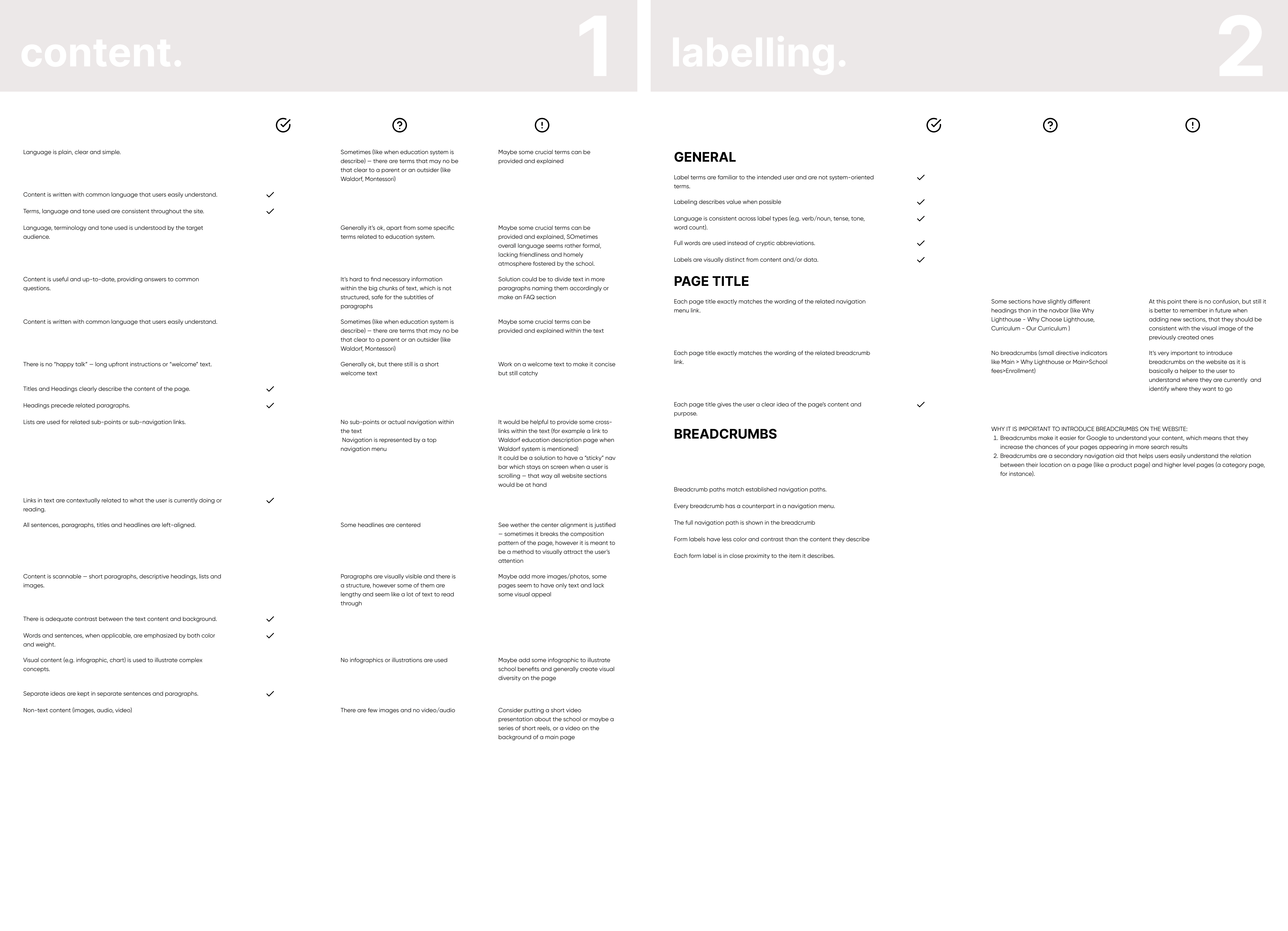
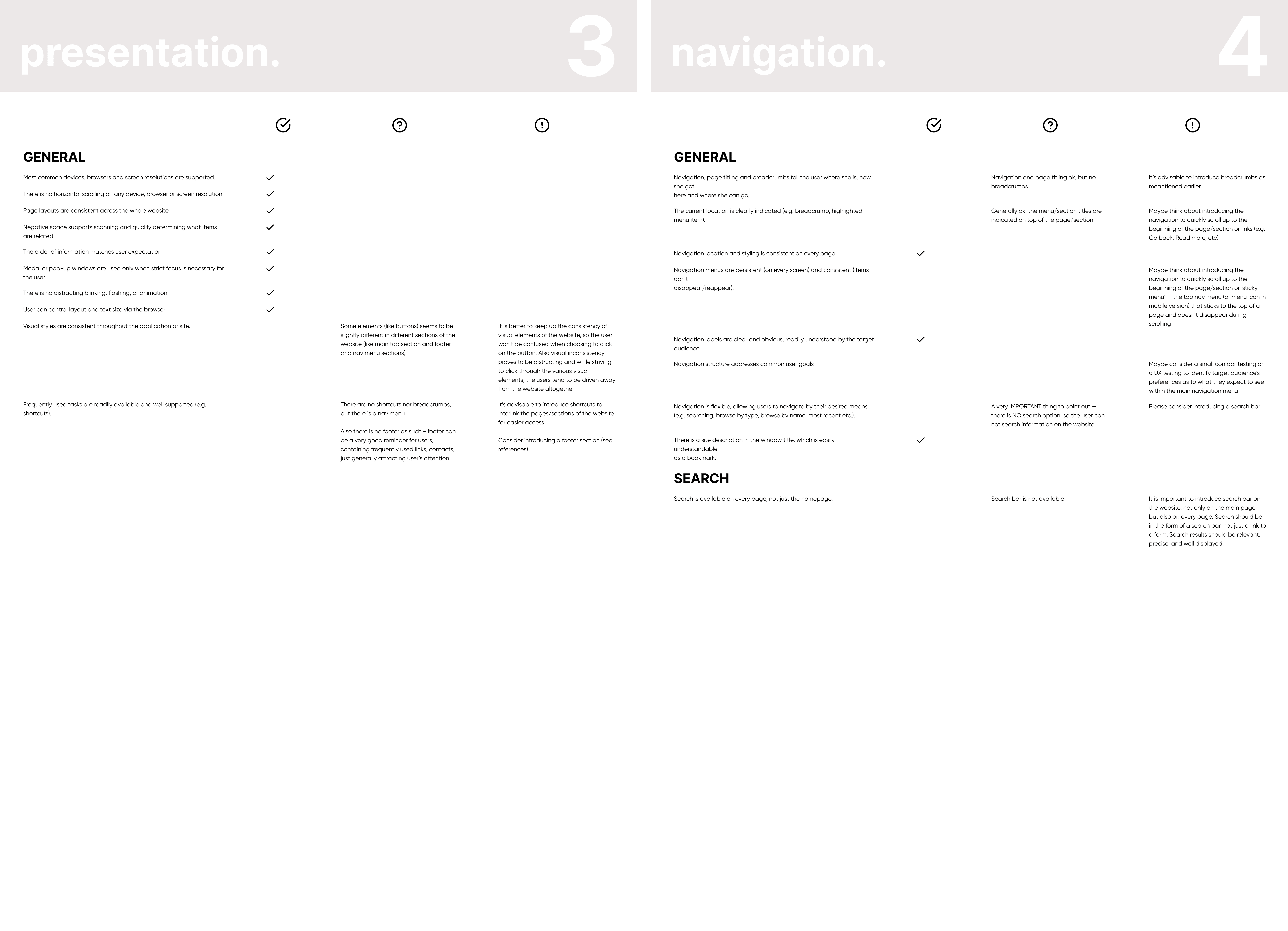
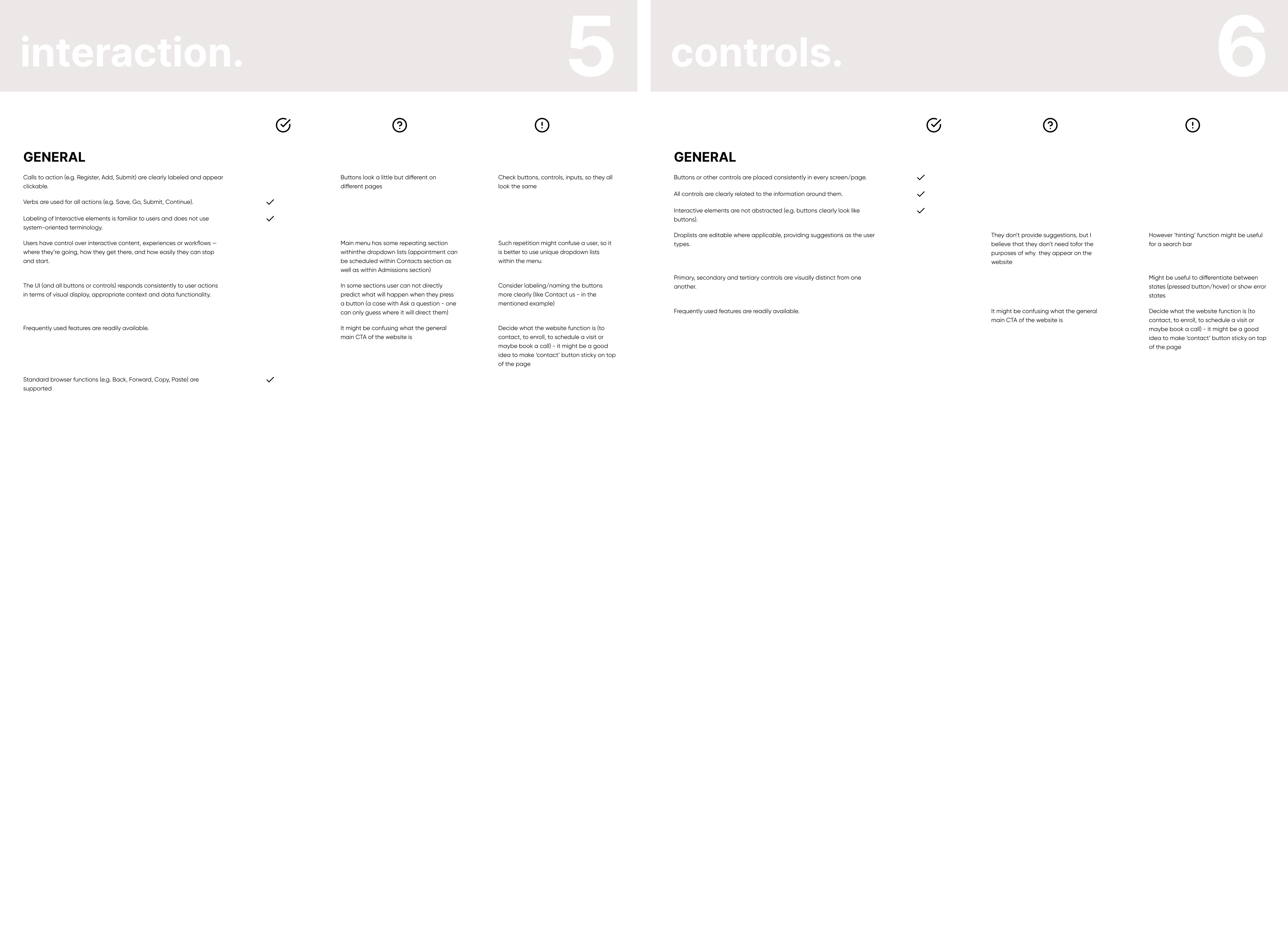
I started by evaluating the website on the following parameters: content, labeling, presentation, navigation, interaction, controls, feedback, visual hierarchy, forms.
💡 I determined focus problems to elevate the school website and make it more appealing to users:
unclear user flows;
lengthy texts and unclear tone of voice;
unclear CTA on the main page;
lack of easily accessible pricing information.
Problem: Users have their own ideas about the information they need and where to find it. || Solution: Model of Informational Expectations
What I did:
Target audience analysis (parents, students, staff) to understand their primary goals and information needs
Conducted user interviews and created personas to directly gather information about their expectations`
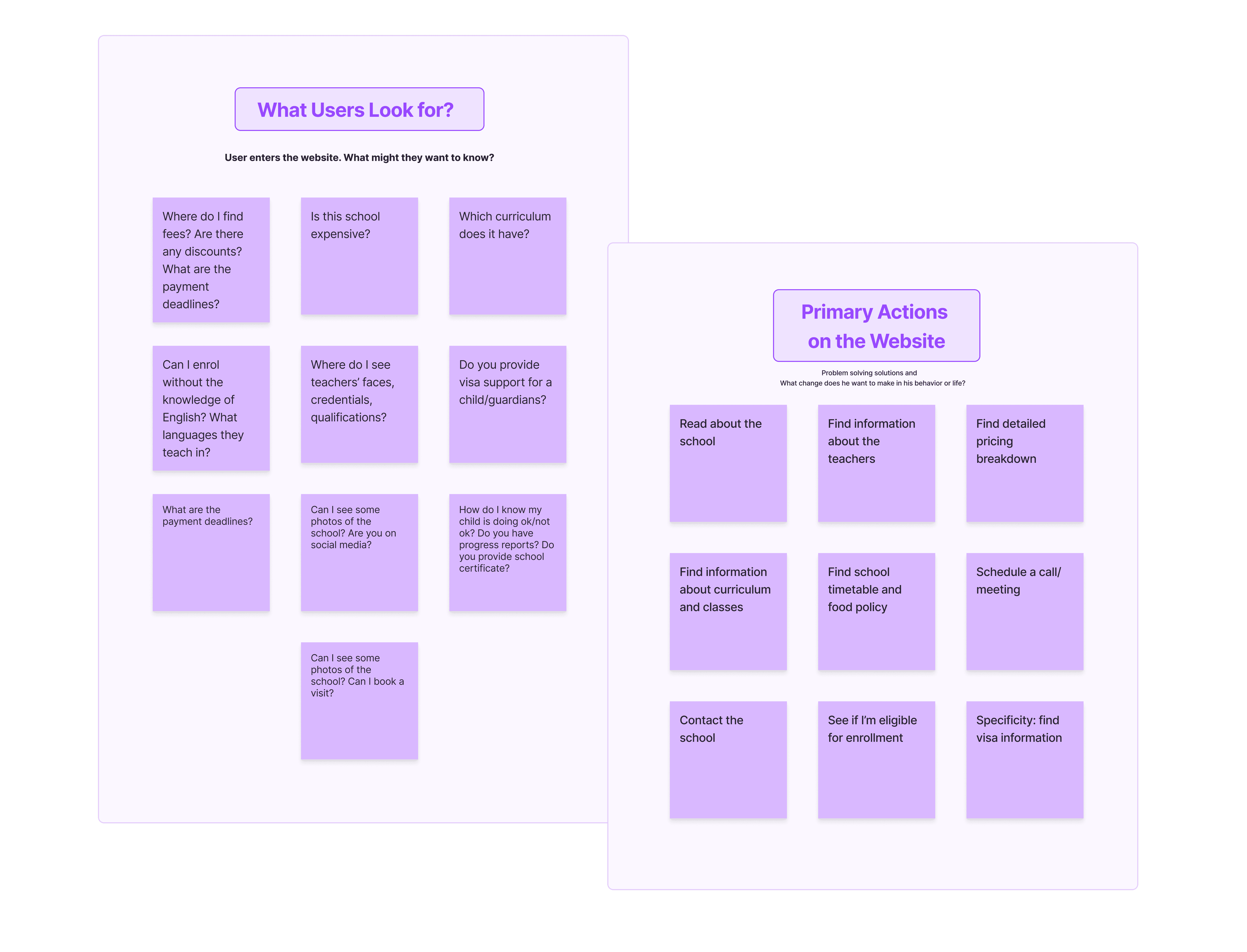
Created the list of questions a user might have when they first enter the school website (e.g.: Is this school expensive? Which curriculum does it have? Can I enroll without the knowledge of English? Who are the teachers?)
Created the list of actions my target user would wish to make on the website (e.g.: read facts about the school, see teachers, find contacts, book a visit, find pricing, etc.)
I proceeded to:
Evaluate how the current website aligns with user expectations.
Identify information gaps or inconsistencies that might frustrate users (like looping or abruptly ending user flows or doubled CTAs, unclear labeling).
Identified User Expectations
Parent Expectations: Information about curriculum, admissions, fees, visa support, extracurricular activities, and school events would be a high priority.
Student Expectations: Access to academic resources, assignments, grades, extracurricular information, and social platforms would be crucial (however these are not addressed for the most part currently, but I can see that as an area for growth)
Staff Expectations: Efficient access to administrative tools, student information, and communication platforms would be essential (also not addressed presently)
Develop
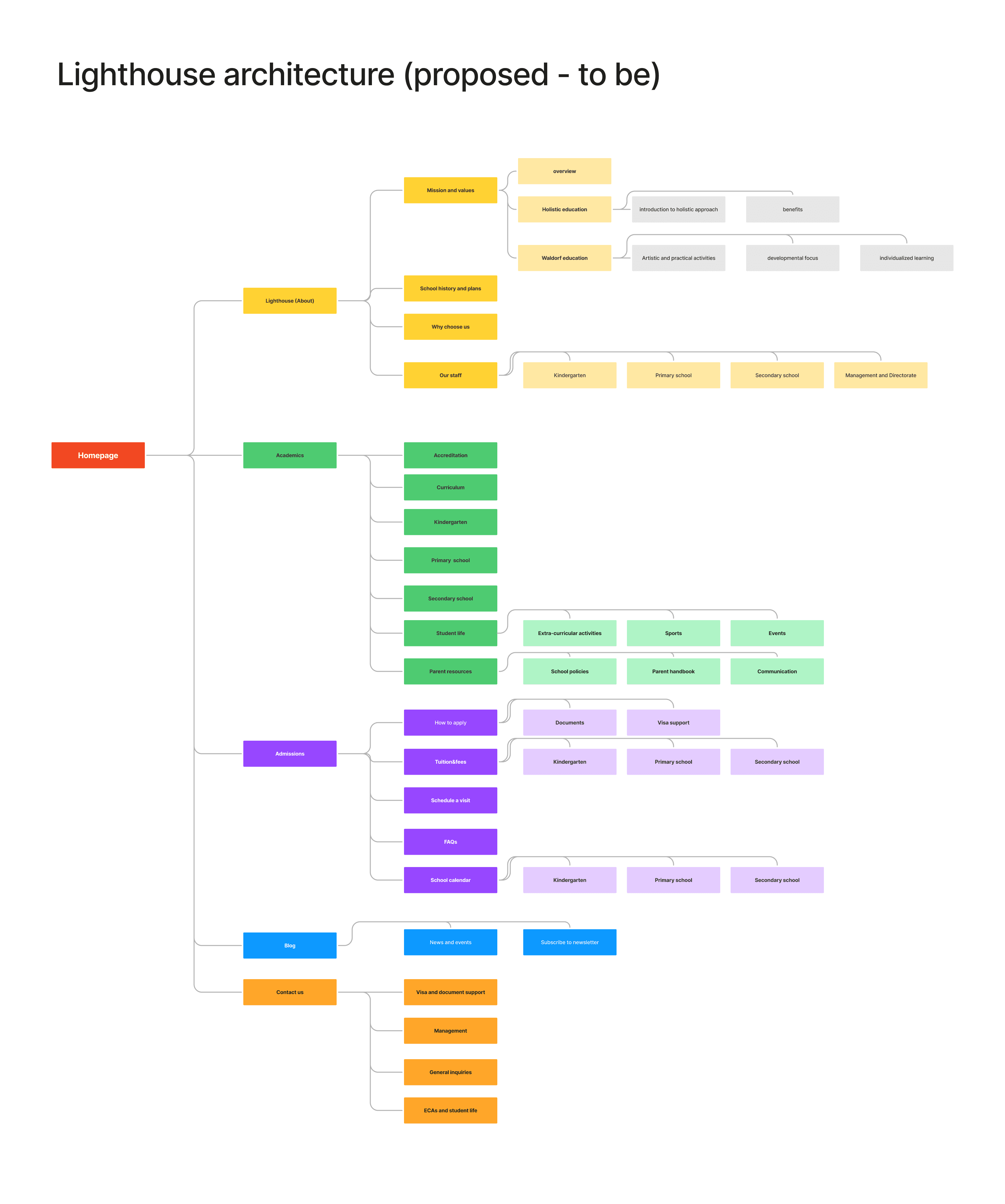
Problem: Unclear and Misleading Sitemap || Solution: Updated Informational Architecture
Based on the Model I’ve created 2 sitemaps (as is and to be)
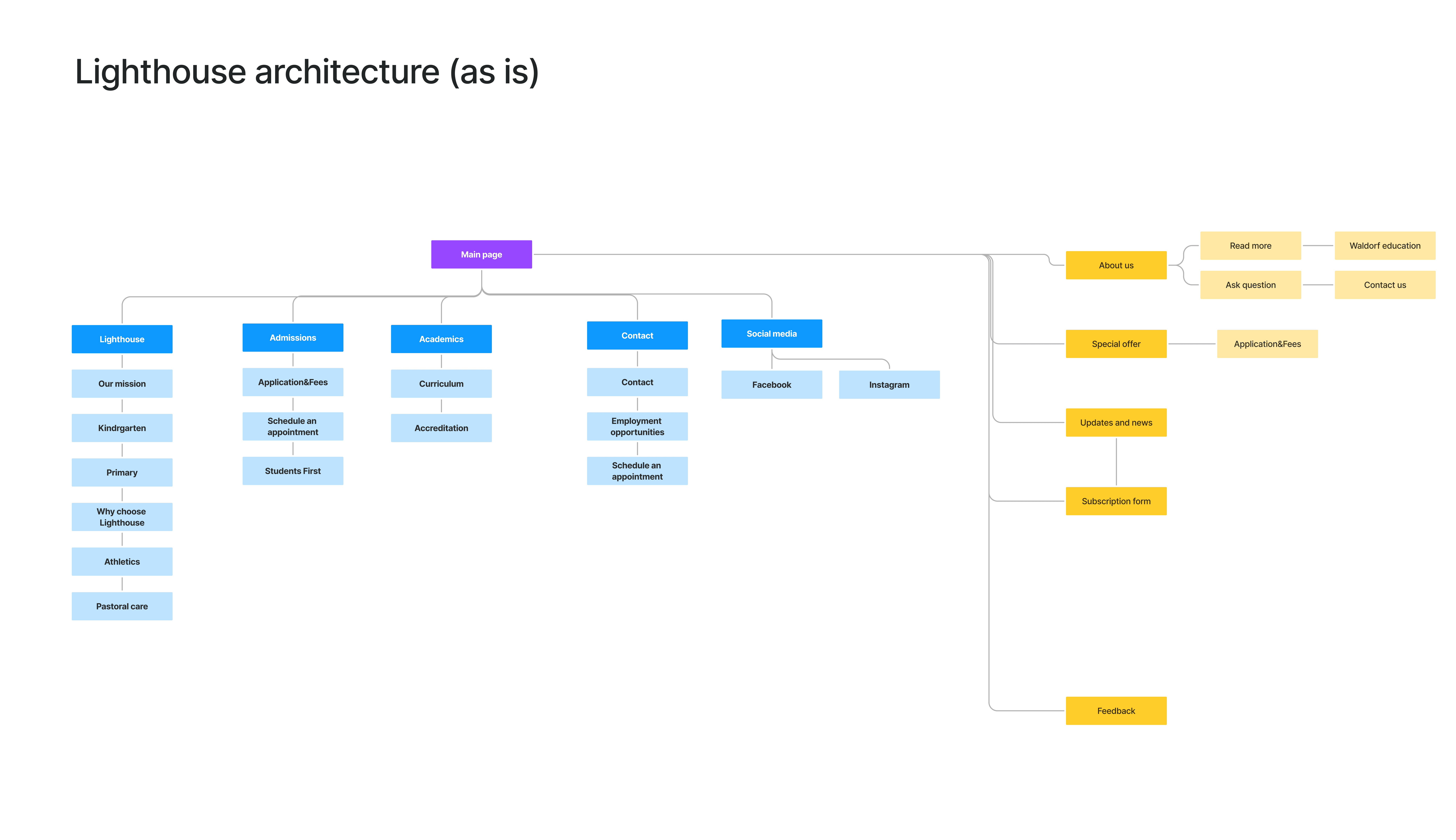
Some problems I identified:
No actual call-to-action
Some sections repeat each other in content but have different titles and are located on different pages
There are sections with unknown purposes - Each website section has to have a clear purpose as to why this information is here or the users won’t stay. So far this section has no clear purpose, maybe it should be re-designed to have some call-to-action or informative function
Design (Prototype)
Goal: to understand whether the users can see the improvement || Solution: user testing
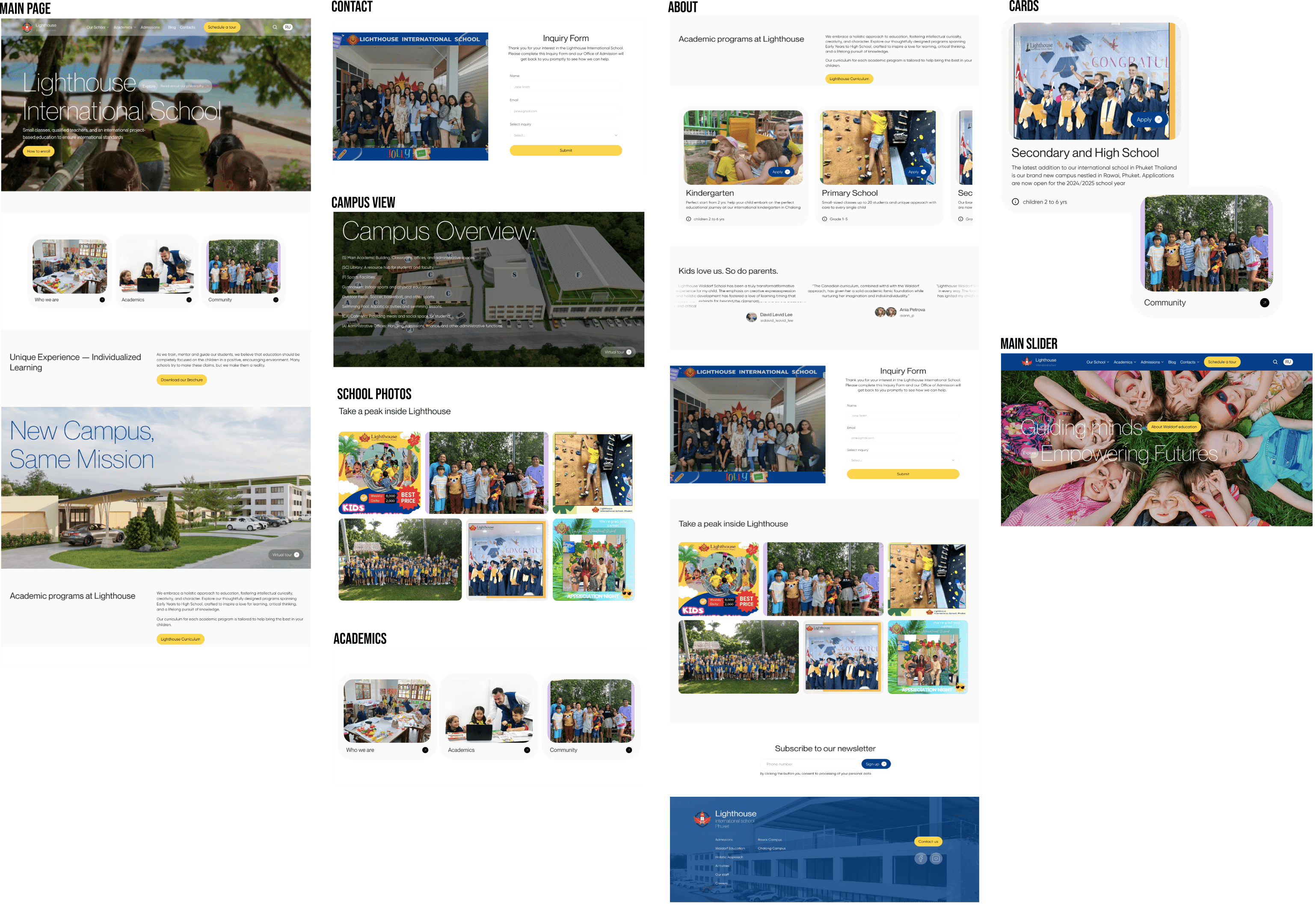
I took the prototype to people whom I interviewed to get information on the user experience. Here are some of their impressions:
”Now I can see where to enroll and contact the school”
”I like that now I can see separate blocks for primary and kindergarten, I couldn’t find this information before”
”As far as I understand this is a block with school photos - I like it, I can see what the school is up to”
”Good thing I can download the curriculum - I’d like to skim through it before actually applying for enrollment”
”Schedule a tour is a nice thing, I would probably go straight to it”
Conclusion
This UX Audit was meant to make quick improvements to the website structure and point out areas for growth.
The team involved:
- UX/UI designer
- School Headmaster
- Wordpress Designer
- School Admission Officer
Tools
Figma
FigJam
Framer